Praxis was designed as a prototype for prescribed arm and hand exercises at home. The session flow, wireframes, and interface were designed by me. Preparation, exercise guidance, and session review are covered in the prototype. It has not yet been tested with patients.
My role
Product Developer and UX Designer
Context
Team competition project
Completed
User flow, wireframes, and high-fidelity prototype
Next
User testing and technical validation
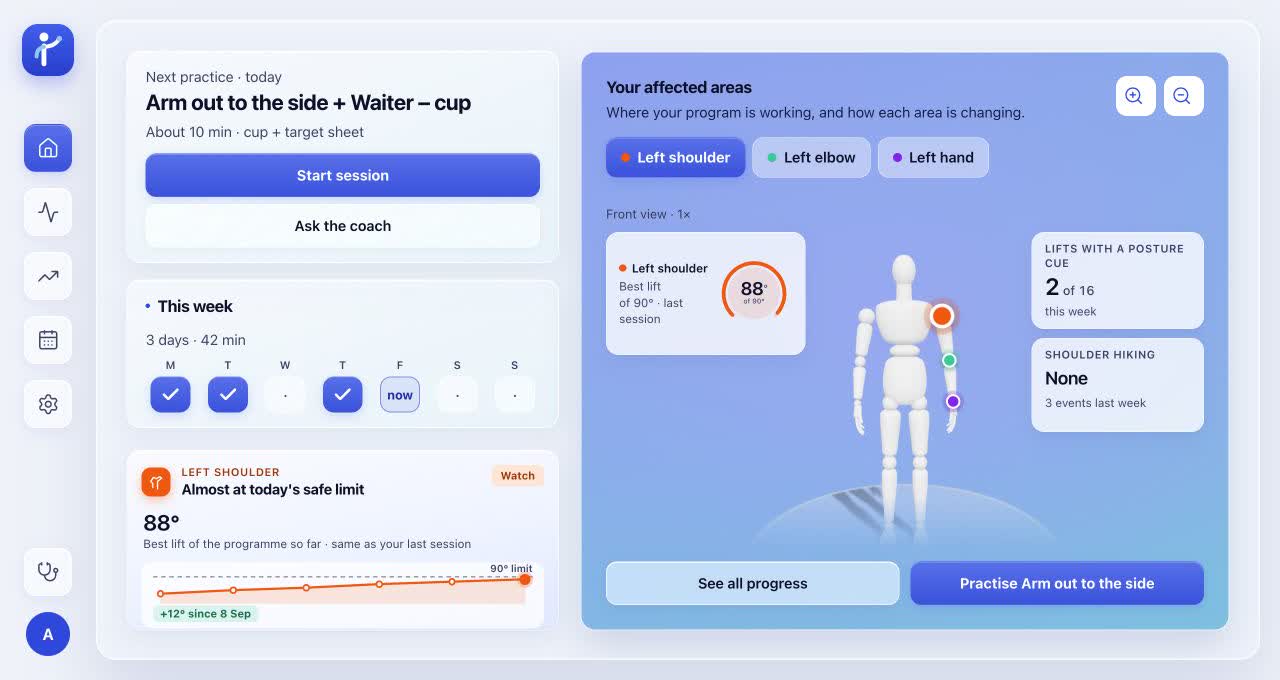
Home: the next exercise and practice area are shown together.
THE PROBLEM
Design for home practice
Home practice was considered from two perspectives: how an exercise would be followed by a patient, and how the session would be reviewed by a clinician. Instructions, setup checks, and reports were designed around these questions.
These questions were drawn from the design work, not from completed patient research.
Problem to exploreDesign responseWhat to test
UNDERSTANDINGWritten instructions may be misunderstood.
DESIGN RESPONSEReplayable exercise demonstration
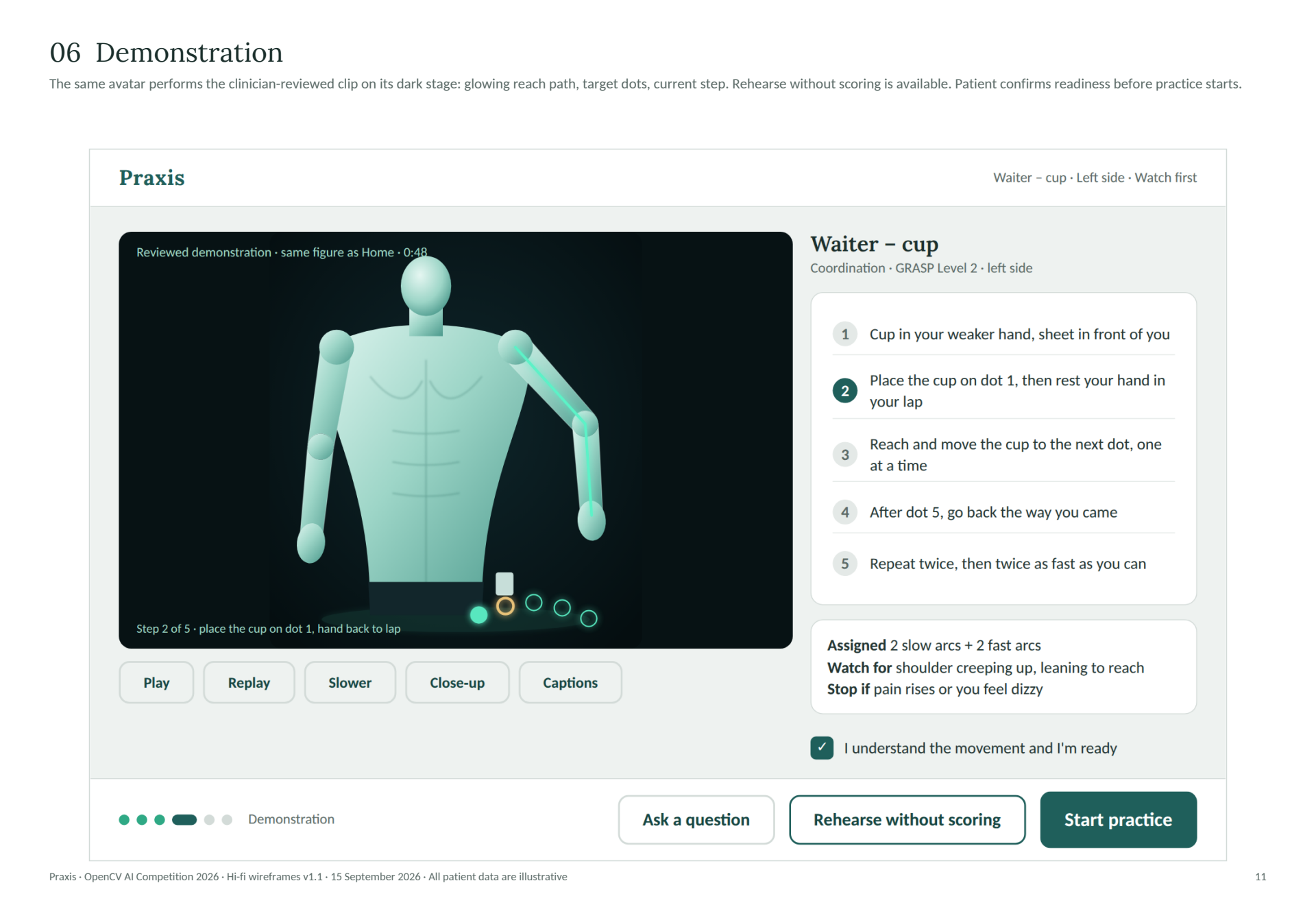
The movement is demonstrated by the avatar alongside written steps.
TO TEST
Can the exercise be followed without extra help?
VISIBILITYA movement may be missed by the camera.
DESIGN RESPONSETracking status and setup guidance
Setup problems and missed movements are identified in the interface.
TO TEST
Are missed movements clearly explained?
CLINICIAN REVIEWPatient feedback and tracking gaps may be left out of a single score.
DESIGN RESPONSESeparate report sections
Camera estimates and patient responses are shown separately.
TO TEST
Can the report be understood by clinicians?
DESIGN PROCESS
How the design was developed
01 · FRAMERequirements
Prescribed limits, rest, and stop controls were included in the session design.
02 · MAPSession flow
Setup, practice, feedback, and review were mapped, including interruptions.
03 · DESIGNWireframes
Screen layouts, instructions, and controls were designed.
04 · PROTOTYPEInteractive prototype
The screens were connected, and an animated exercise demo was included.
Planned testing: The flow, reports, and tracking still need to be tested.
My contribution: The screens, session flow, wireframes, and safety and accessibility choices were designed by me. The team’s engineering work is not claimed as my individual contribution.
THE SESSION
Exercises in the first version
Supervised instruction is paired with home practice in GRASP. The exercise plan was informed by this approach. UBC instructor manual ↗
The first version was limited to arm movement, cup placement, and a separate peg assessment so different tracking needs could be explored within a manageable scope. Other exercises were provided as instructions only.
Arm out to the side Arm movementWaiter - cup Reach and placeNine-Hole Peg Test Separate assessment path
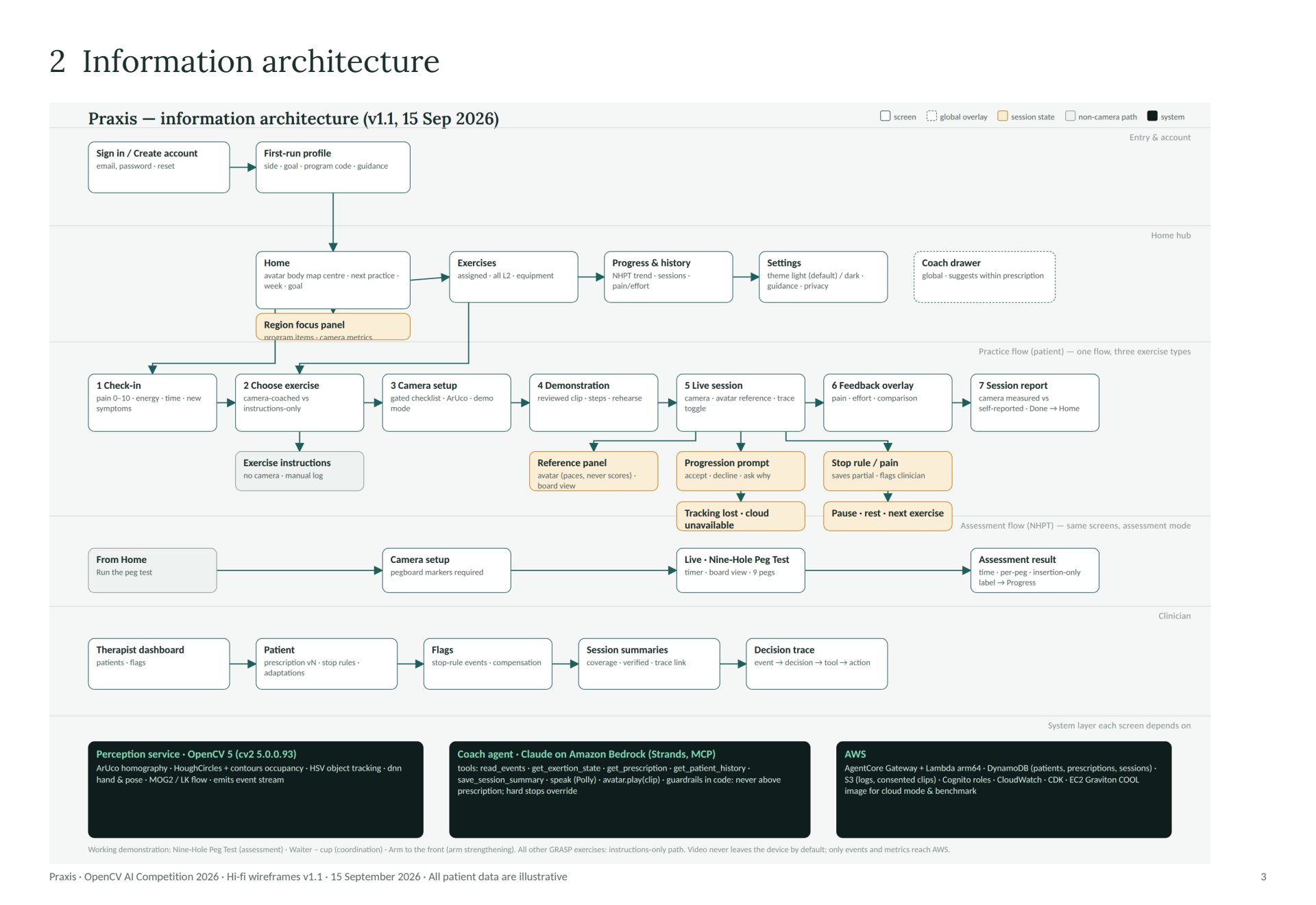
CURRENT PROTOTYPE FLOW
Choose exercise
Watch demo
Check in
Set up camera
Practise
Give feedback
Review report
Instructions only Instructions are provided without camera verification.
Assessment Home → setup → peg test → results.
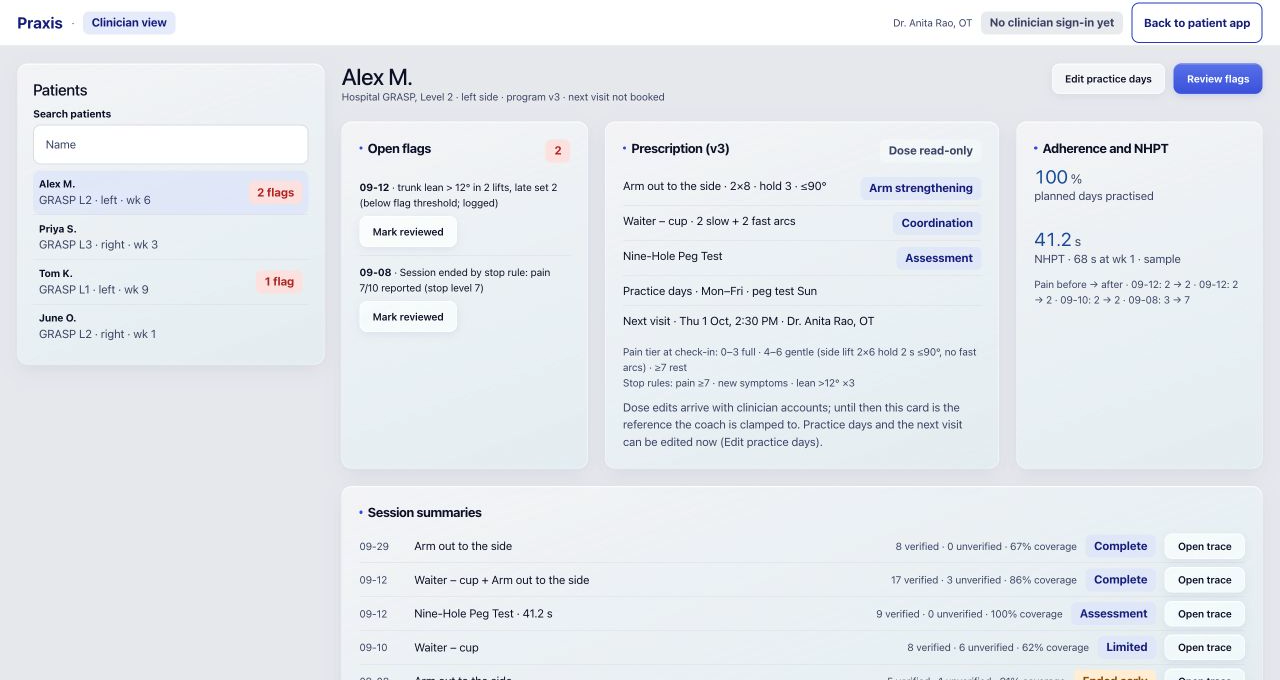
Clinician Flags and reports are intended to be reviewed in a read-only dashboard.
Exercise selection and the demo were moved before check-in in the prototype. Earlier wireframes are saved below.
INSIDE THE PROTOTYPE
Exercise selection and demonstration
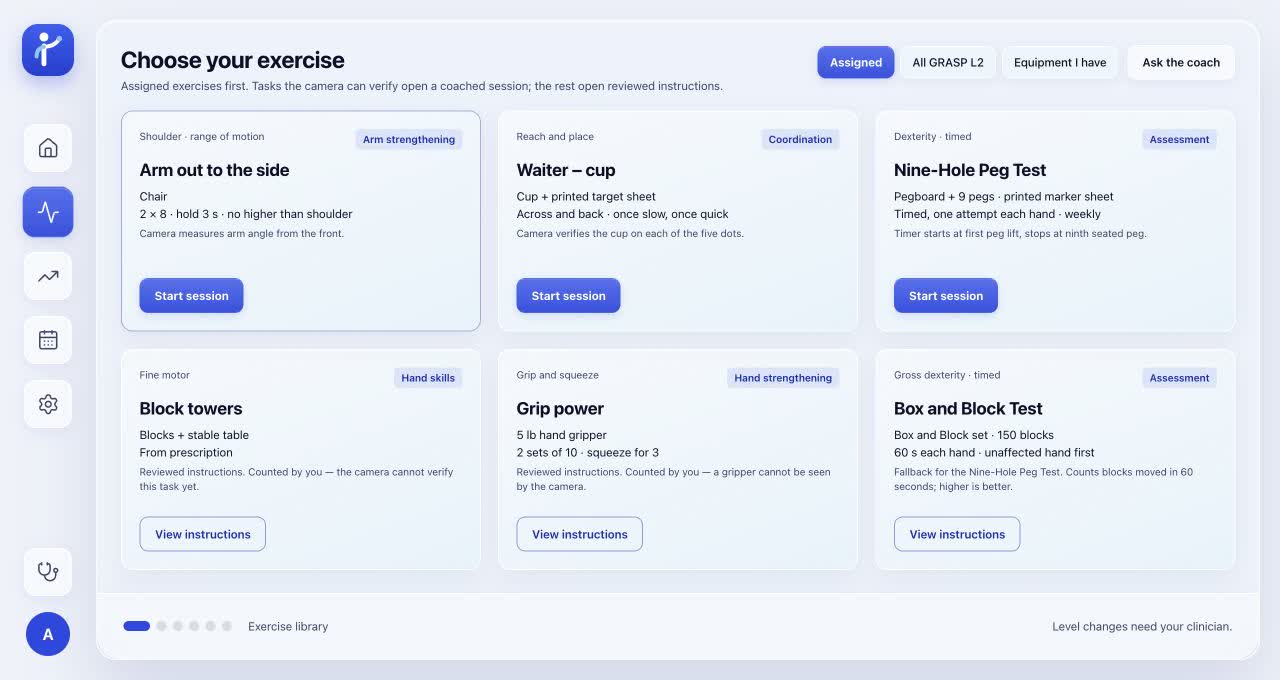
Exercise selection: Equipment and instructions are shown before the session.Demonstration: The animation can be replayed at the patient’s pace. A silent prototype capture is shown, not a patient session.
SESSION SCREENS
The session screens
01 · Check in
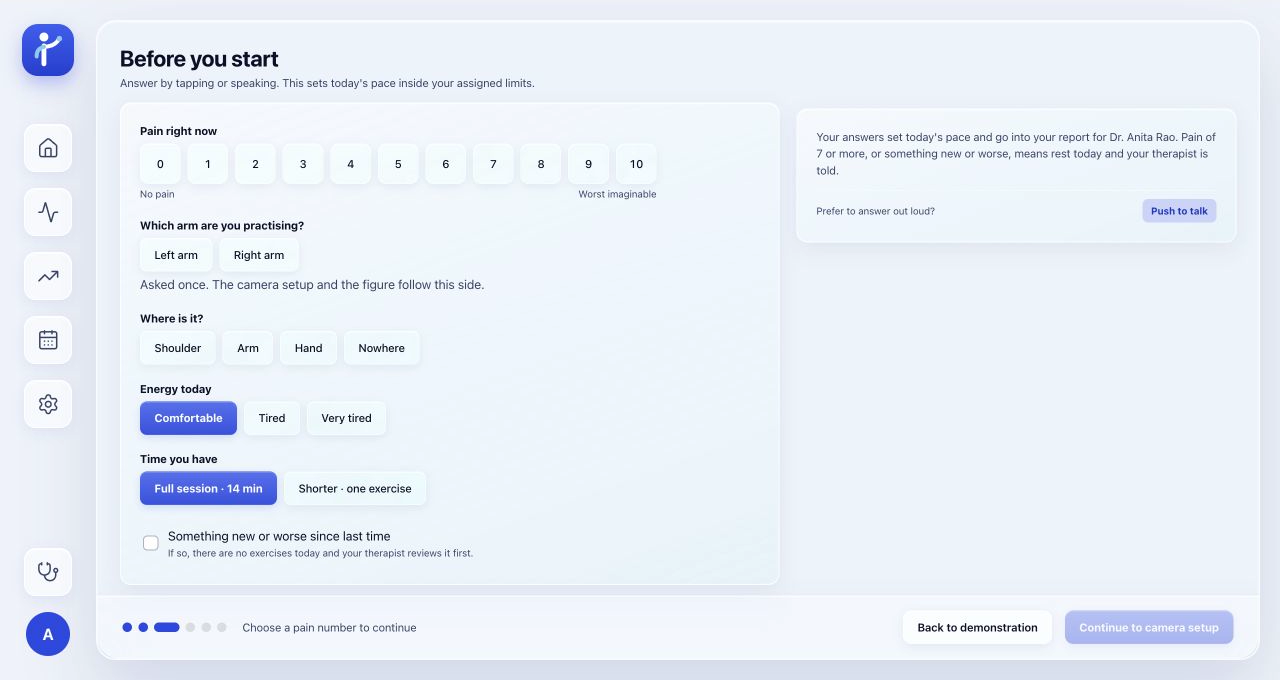
Check-in questions
Pain, energy, and available time are recorded before practice.02 · Set up
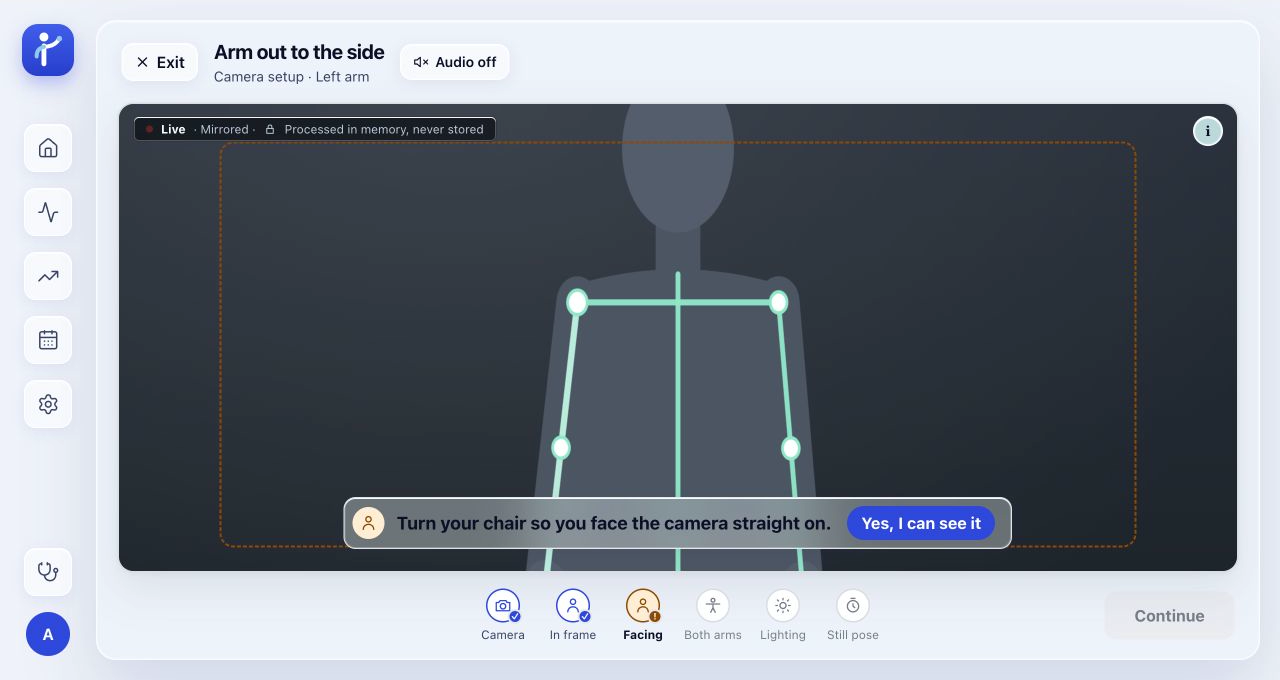
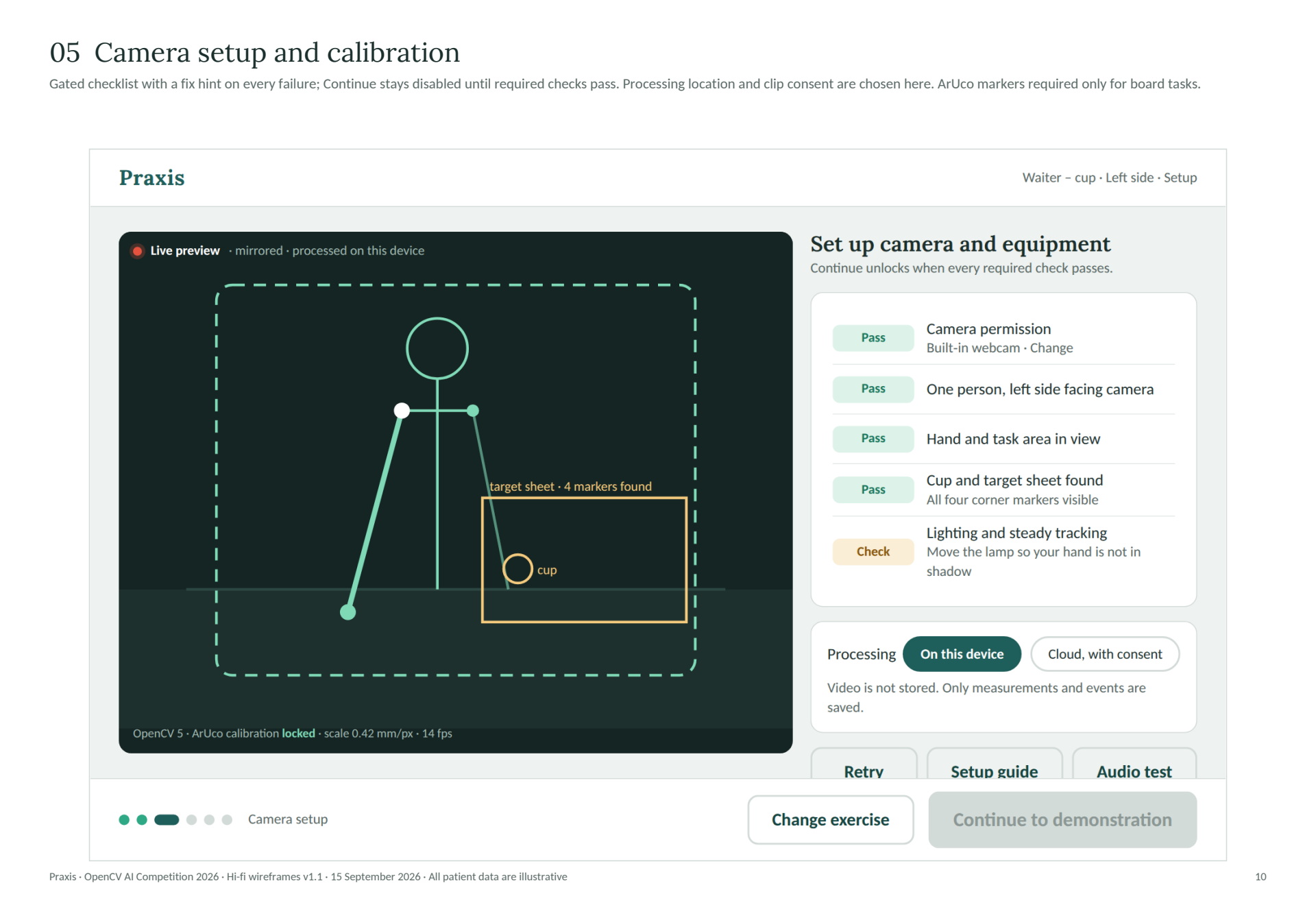
Camera setup checks
Setup checks were placed before practice so framing and lighting problems could be addressed first. Each check was paired with an instruction explaining what needed to be adjusted.03 · Practise
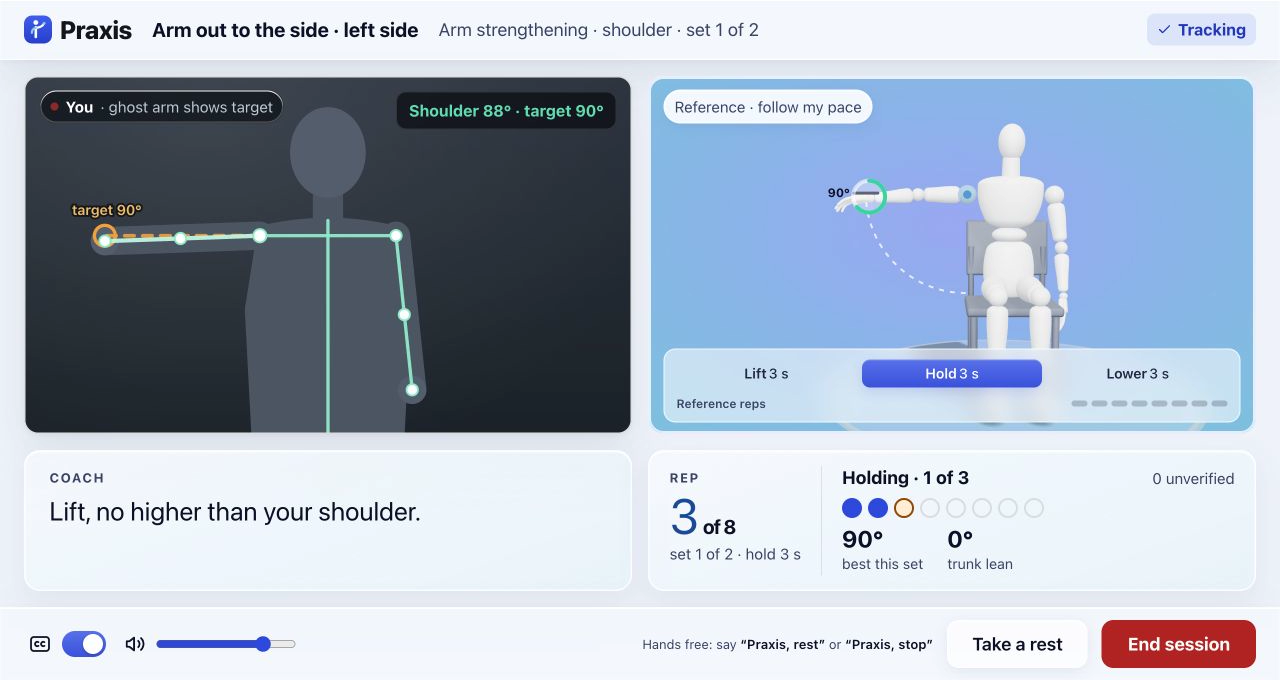
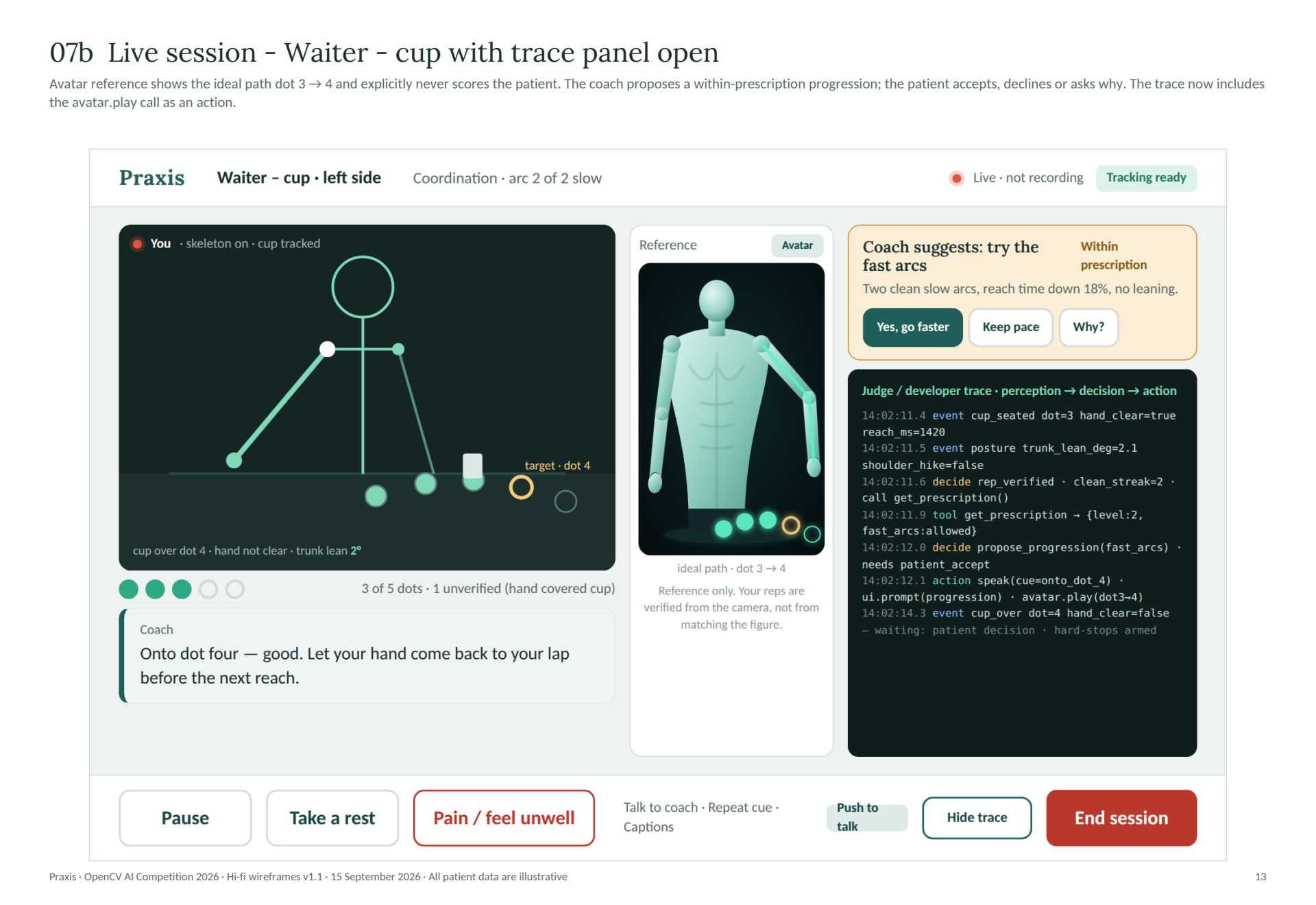
Exercise guidance and controls
The reference figure is shown beside the practice view. Rest and stop controls are kept nearby.04 · Give feedback
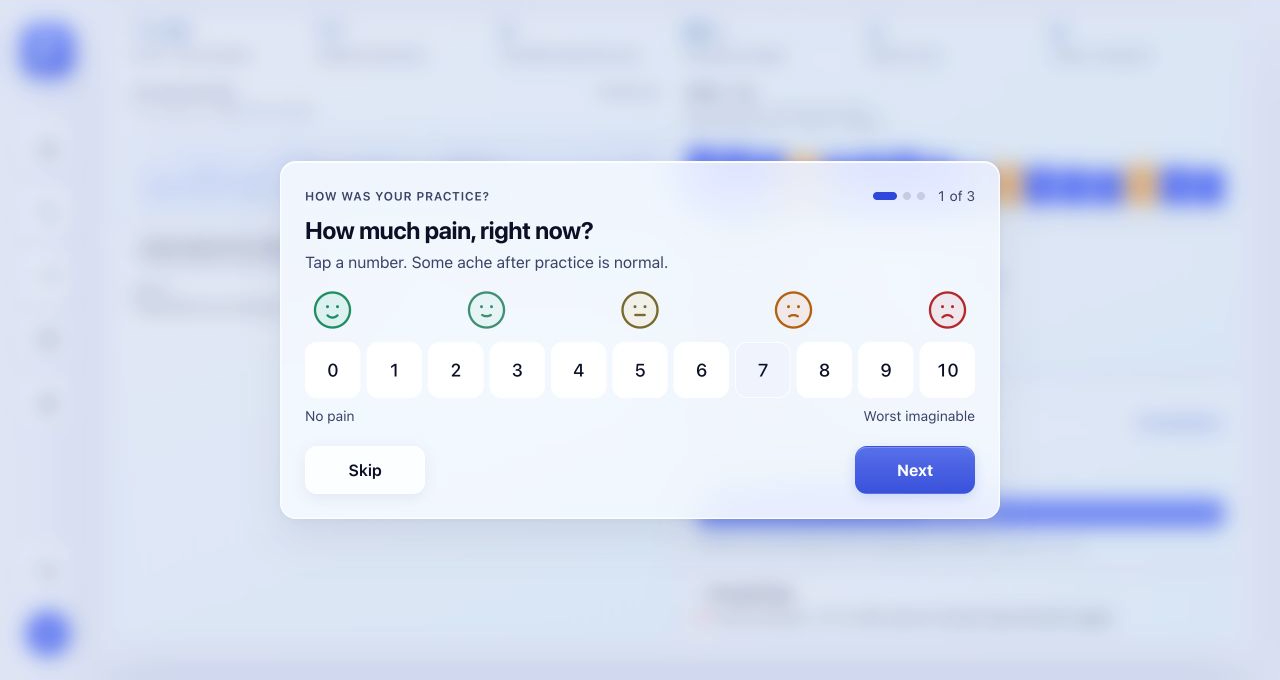
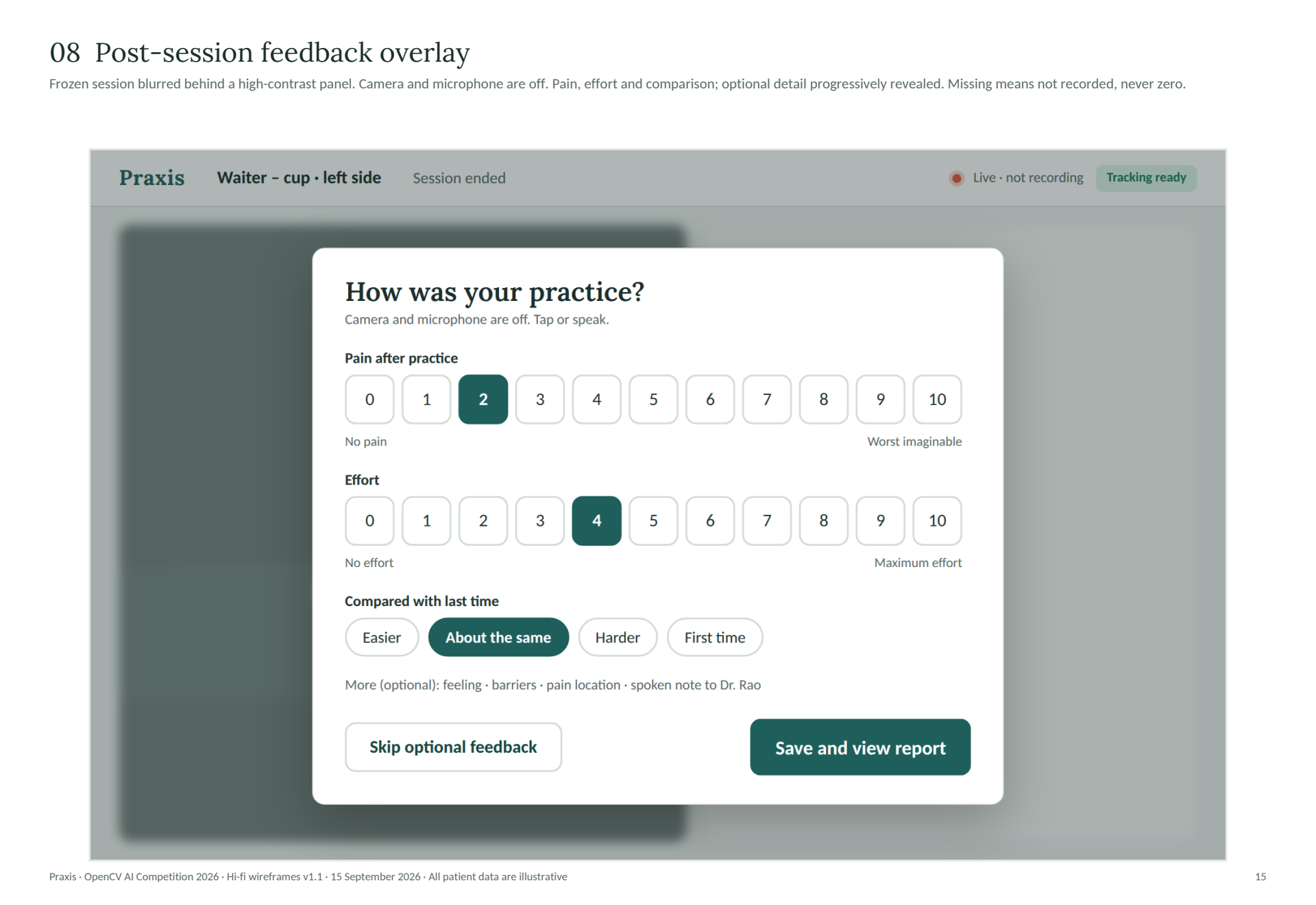
Post-session feedback
Three short questions are shown one at a time. Answers can be skipped.05 · Review
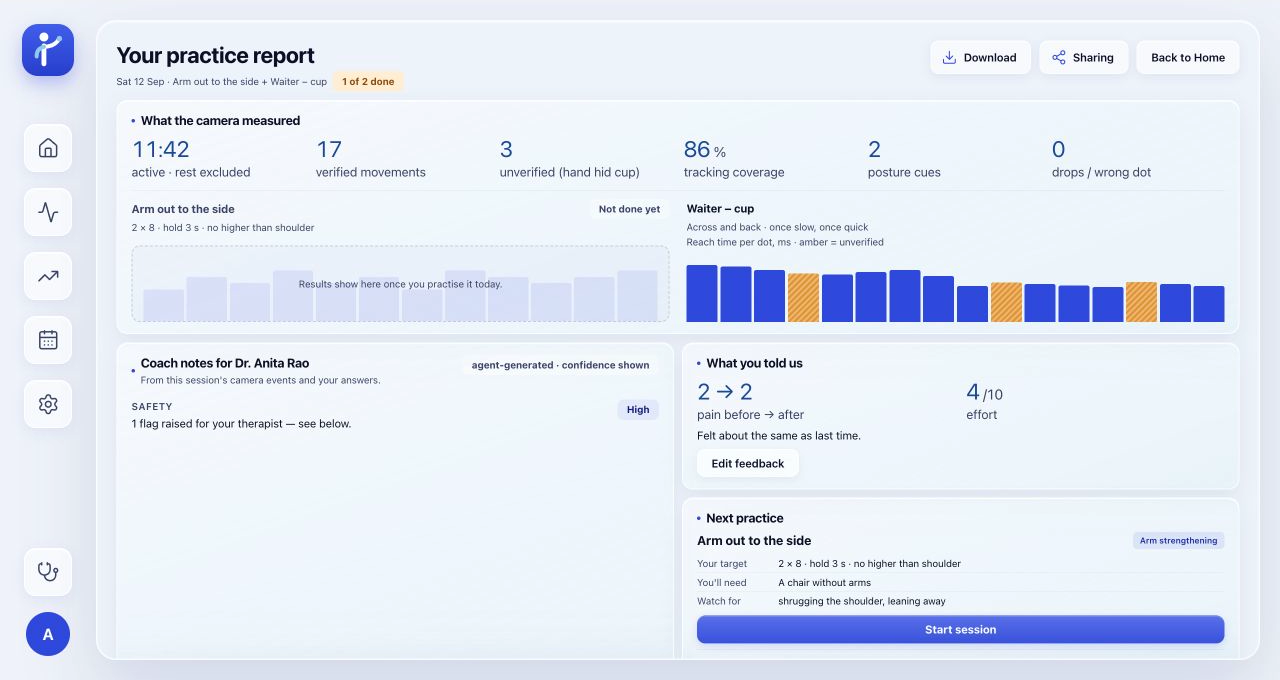
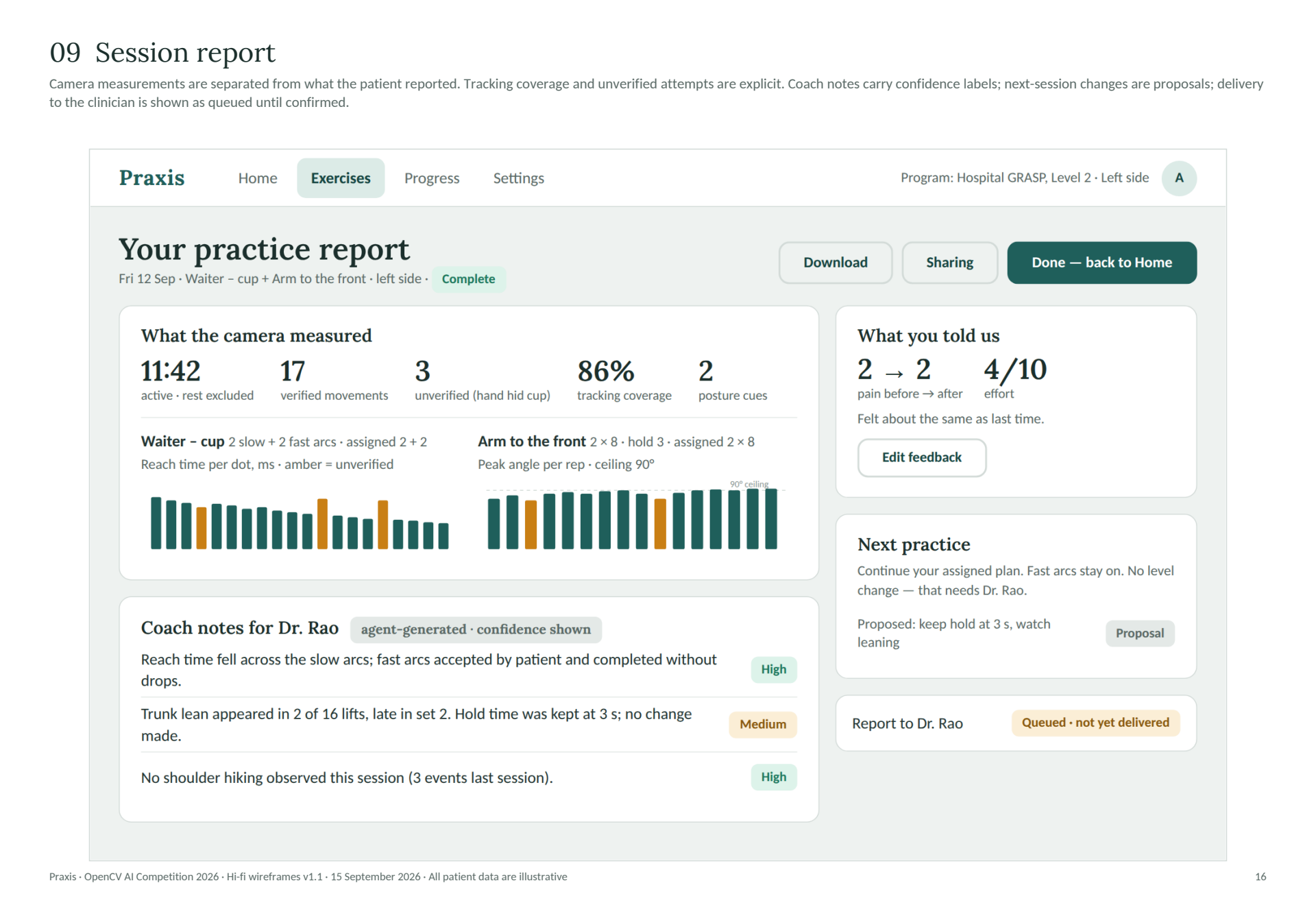
Session report
Camera estimates and patient feedback were separated so recorded movement would not be confused with reported pain or effort. Tracking gaps were included rather than treated as exercise results.06 · Look back
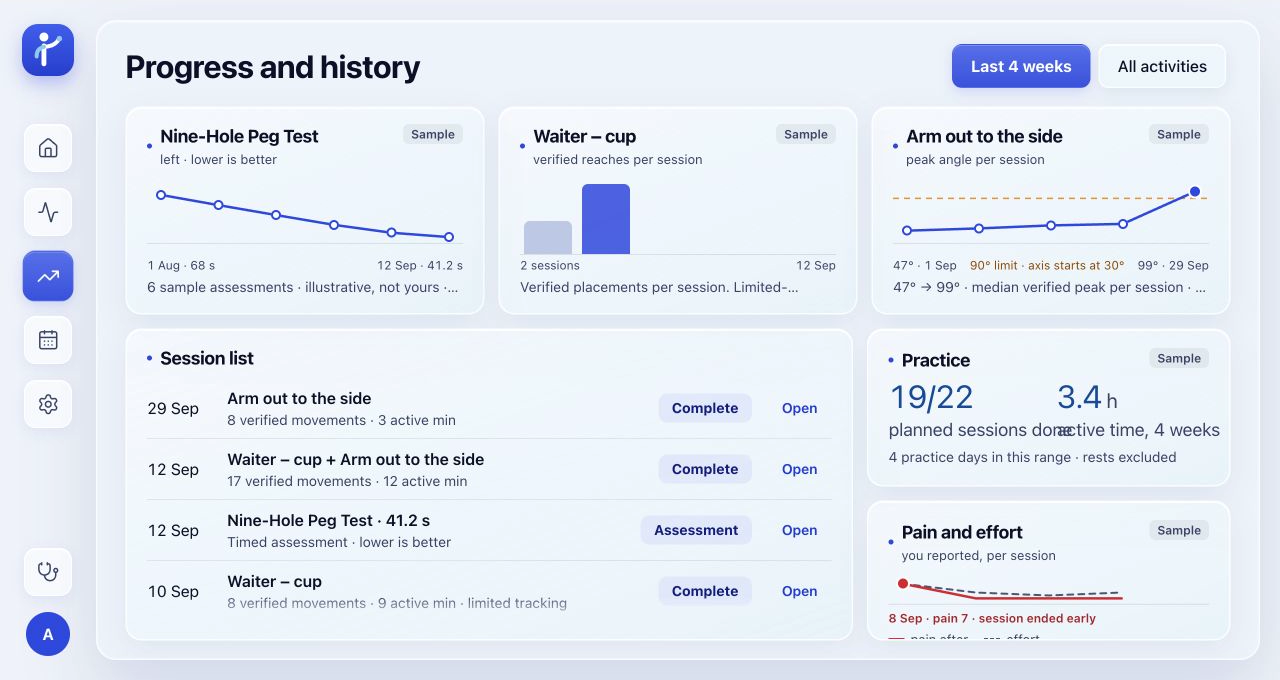
Progress history
Individual reports can be opened from the progress history.07 · Clinician review
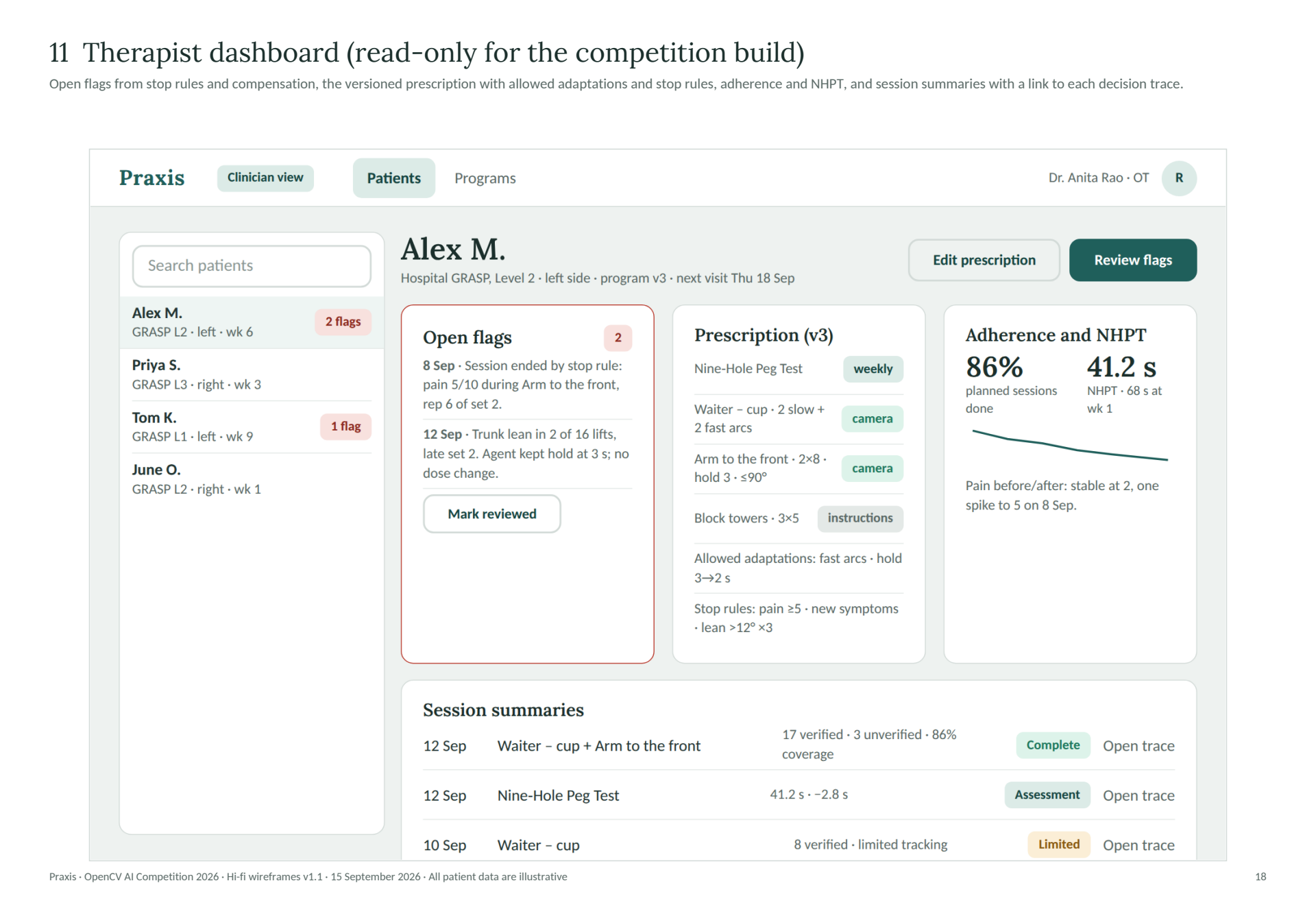
Clinician dashboard
The dashboard should be read-only. “Edit practice days” and “Mark reviewed” are still shown and need to be removed to match that scope.
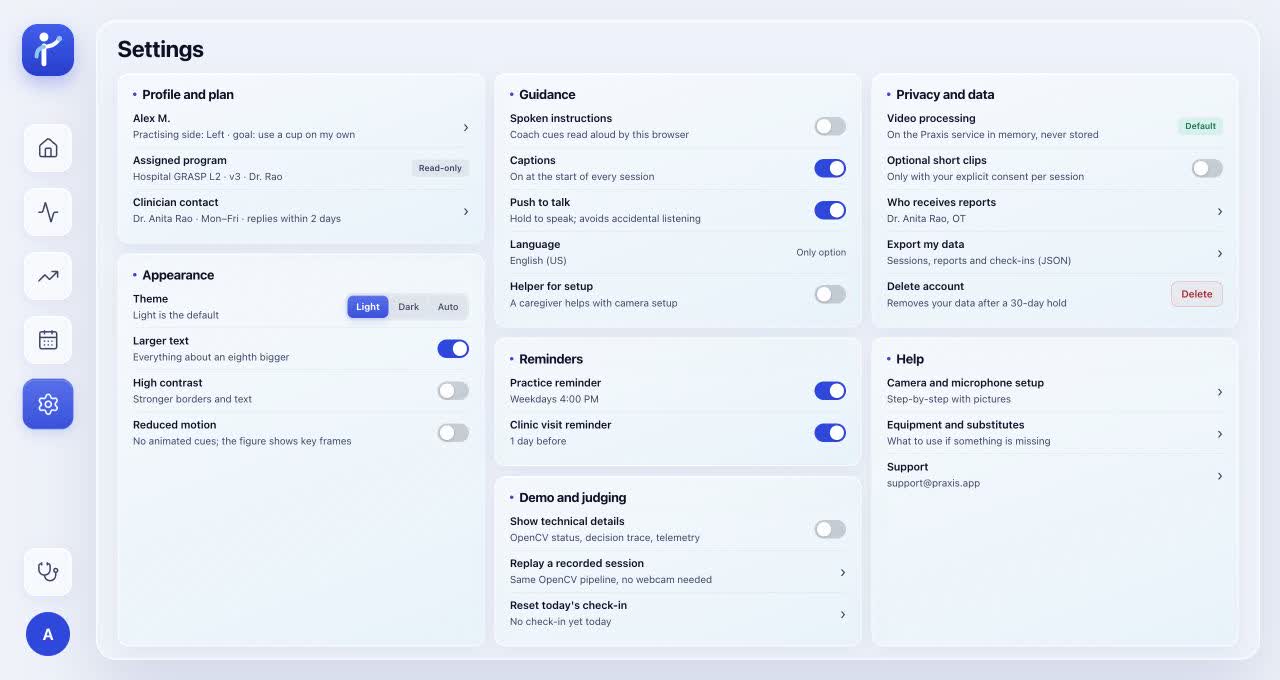
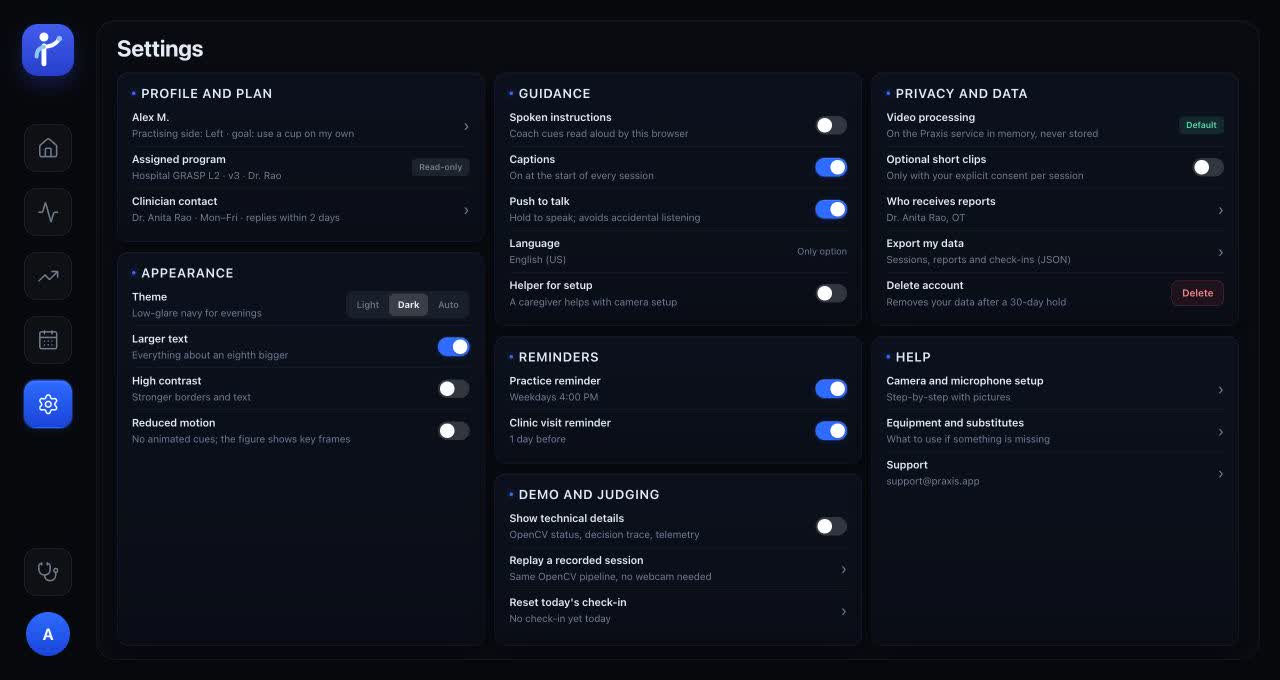
LIGHT AND DARK MODE
Appearance settings
The same layout is used in both modes. Options for larger text, higher contrast, and less motion are provided.
Light mode · current prototypeDark mode · current prototype
DESIGN CHOICES
Replay, rest, and tracking feedback
Replay, rest, and stop
These controls were included so demonstrations can be replayed and practice can be paused or stopped.
Unconfirmed movements
A movement missed by the camera is distinguished from an exercise result in the report.
Text and visual guidance
Captions and text labels were included so instructions can be understood without relying on color alone.
See the earlier wireframes behind these decisions
Original PDF exports. Working integrations and clinical approval are not established by example data or status labels.
Earlier wireframe: flowEarlier high-fidelity wireframe, not a screenshot of the current prototype. Direct export, PDF page 3. System components are design specifications, not verified integrations.Earlier wireframe: cameraEarlier high-fidelity wireframe, not a screenshot of the current prototype. Direct export, PDF page 10. All displayed data are illustrative.Earlier wireframe: demonstrationEarlier high-fidelity wireframe, not a screenshot of the current prototype. Direct export, PDF page 11. “Reviewed demonstration” is a design requirement; completed clinical review is not evidenced.Earlier wireframe: sessionEarlier high-fidelity wireframe, not a screenshot of the current prototype. Direct export, PDF page 13. Tracking, progression logic, and trace events are illustrative, not test results.Earlier wireframe: feedbackEarlier high-fidelity wireframe, not a screenshot of the current prototype. Direct export, PDF page 15. All displayed data are illustrative.Earlier wireframe: reportEarlier high-fidelity wireframe, not a screenshot of the current prototype. Direct export, PDF page 16. Measurements, identities, confidence labels, and delivery state are illustrative.Earlier wireframe: clinicianEarlier high-fidelity wireframe, not a screenshot of the current prototype. Direct export, PDF page 18. All patient details and outcomes are illustrative. The dashboard is read-only; edit and state-changing controls pictured in this wireframe are outside the confirmed scope.
NEXT STEPS
What has not yet been tested
The prototype can be used to test whether the screens are understood. Camera accuracy and clinical suitability must be checked separately; neither can be established from the interface alone.
Patient testing
Can setup and exercises be completed, and can interruptions be handled without help?
Clinician review
Instructions, stop rules, and reports need to be reviewed for clarity and suitability.
Technical checks
Camera accuracy, data handling, and report delivery still need to be checked.